 Creating Operator Accessories
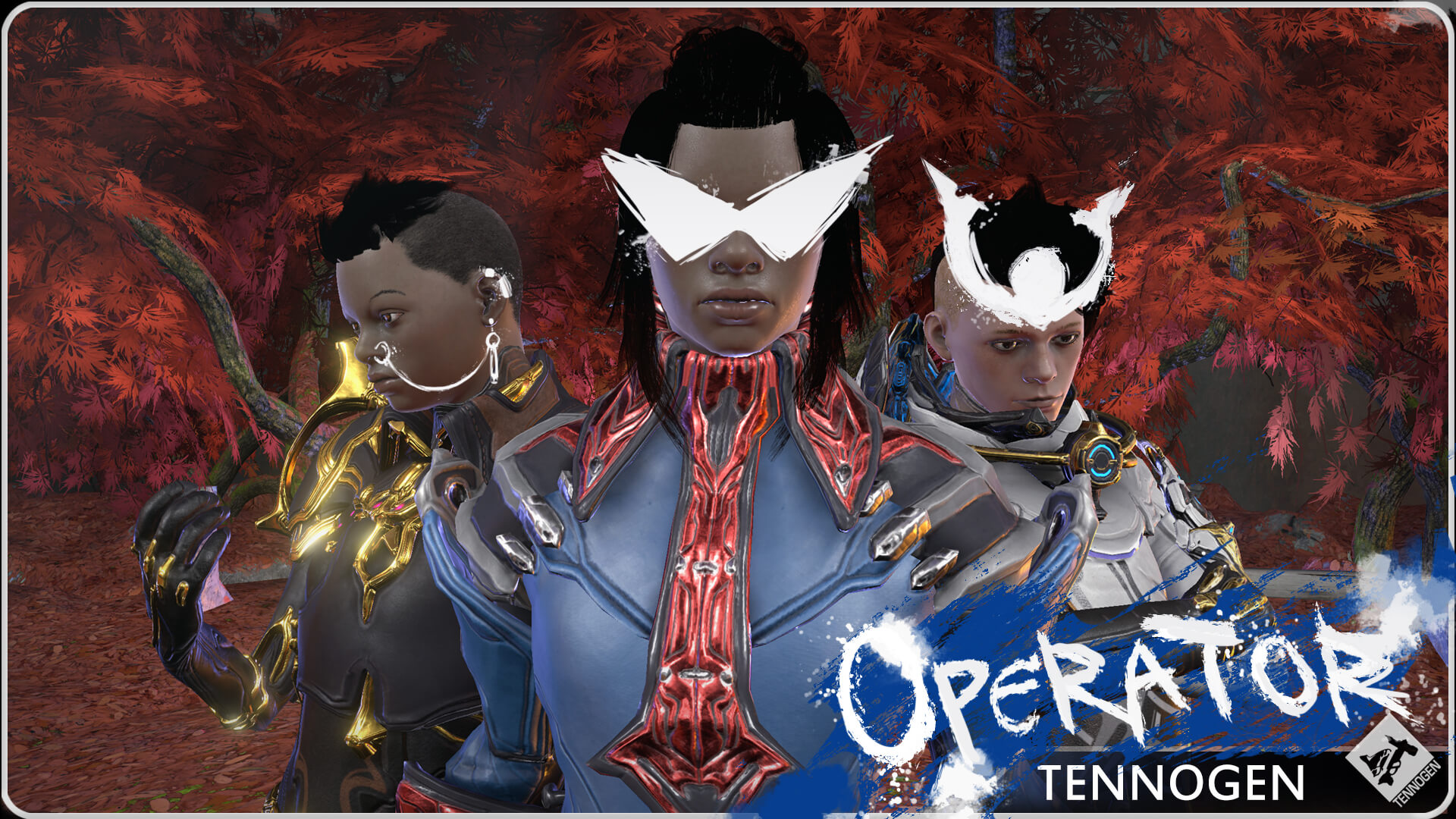
Operator Accessories are a great entry point into the TennoGen program — they let you explore any faction’s art style and give our Tenno community an opportunity to find an individual look for their Warframes. While Accessories offer creators a lot of freedom, there are some technical limitations and tips you’ll need to keep in mind to ensure your design performs well!
The Basics
Operator Accessories come in three categories:
- Eyes
- Facial (relating to all areas of the face BUT the eyes)
- Ears (earrings, ear cuffs, etc.)
All accessories should respect the current Faction Style Guide and Basic Art Guide. You should make sure to incorporate the visual language of a faction currently available in the TennoGen program to help it fit the Warframe aesthetic — mixing factions (unless it is an Infested Corpus/Tenno/Grineer) is not allowed!
Avoid the following:
- Anything that covers the entire face, like face masks (Nakak owns the rights to those!)
- Facial hair.
- Copies of cosmetics on existing in-game characters.
- References to existing characters isn’t an immediate cause for rejection, but beware of the risks involved. We may already have plans for cosmetics based on these characters, or feel they are not lore appropriate to have on Operators!
- Pop culture, copyrighted, or otherwise out-of-universe references, as outlined in our Common Reasons for Rejection.
Category Guidelines
As a general guideline, items in these categories should aim to respect the boundaries seen in the image below. You can find these bounding boxes in the “OperatorHeads.fbx” file for easy reference:
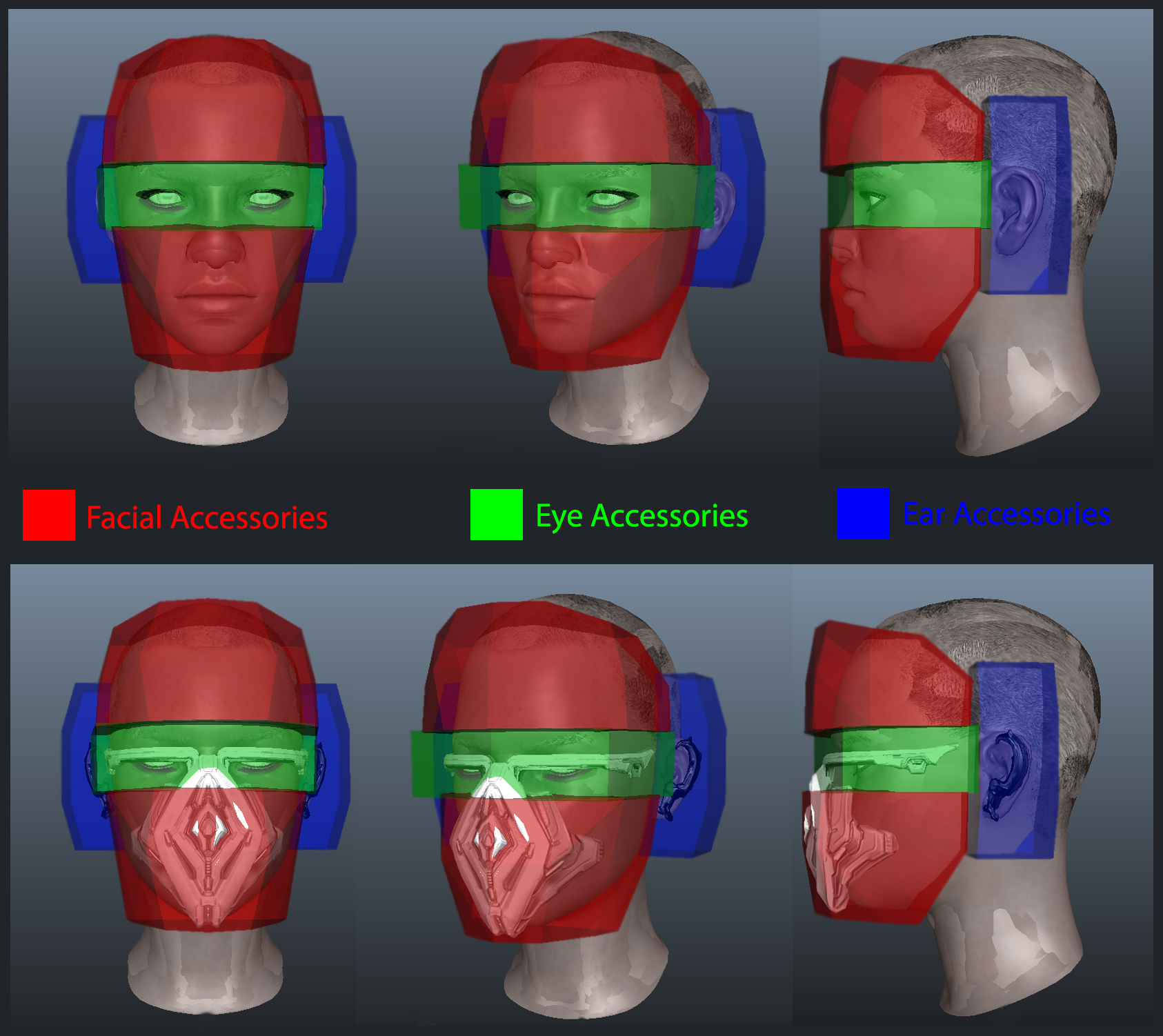
It’s important to remember that these are just guidelines to help ensure that your pieces perform as well as possible with the existing Operator accessories. As with all TennoGen creations, pushing the boundaries is fine, but you need to be prepared with a plan B if your ambitious project breaks the rules a little too hard.
If your item goes past these boundaries it will not be immediately rejected, but we recommend that it does so purposefully and creatively. Adding extra details outside these guidelines for the sake of adding extra details is not a good excuse! You may look to Operator accessories already available in game as examples of items that extend past these boundaries in respectable manners.
Accommodating for Different Face Shapes/Sizes
Much like our Warframes, our Operators’ faces come in a variety of shapes. As a result of the personalization offered via the face blending system, it will be important to design your items so that it respects the variety of facial structures in-game. Extremely close-fitting accessories will not perform well — just like how Syandanas need to be designed to fit into a variety of Warframe backs, the same philosophy needs to be taken here.
We have included both extremes for Operator faces in the “OperatorHeads.fbx” file. Note how much variation you need to account for and plan your accessory wisely to work best on both the biggest and smallest heads.
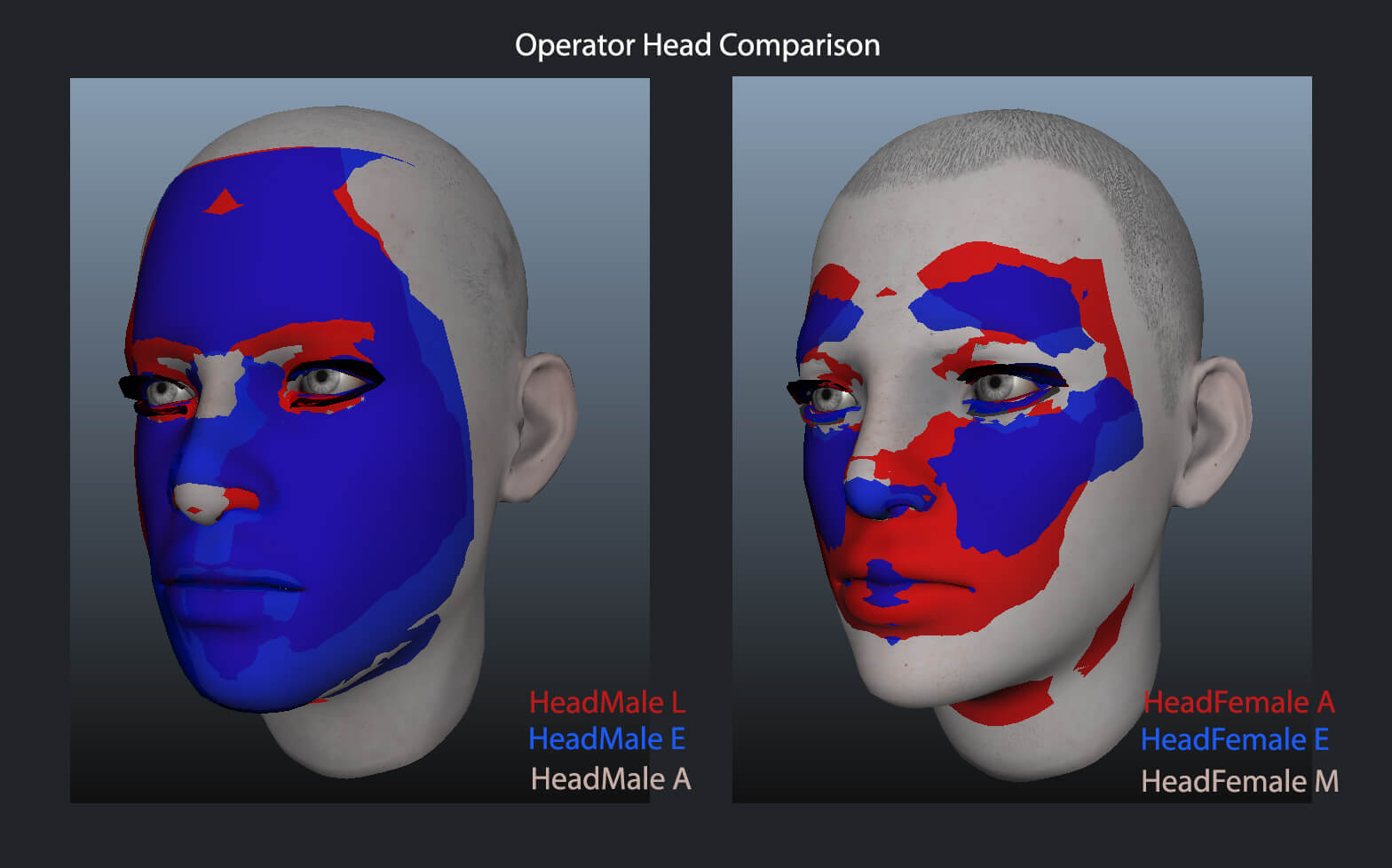
Ears and hairlines for both male and female Operators are now the same size, allowing for more freedom in designing pieces that attach to these areas. With this change, we still recommend comparing the extremes of all head sizes for your accessories to ensure they fit well.
Technical Specifications
- Triangle budget: 1,500.
- For Ear Accessories, both ear pieces need to fit within this triangle budget.
- Maps are authored at 2048 x 1024.
- You have a choice of vertical or horizontal orientation.
- In-Game Resolution: 1024 x 512.
- Operator accessories are much smaller than other TennoGen content so you will need to adapt to the level of detail that is viable after compression.
- Requires a full set of textures as per our Texturing Guide.
- Non-Metals at roughly 50% luminance, or 128 on a 255 point scale.
- Metals at roughly 80% luminance, or 186 on a 255 point scale.
- Tints:
- Accessories only have two tintable channels: red channel and alpha channel. The rest will be untintable.
- Emissive colour is controlled by the Suit Energy Color.
- If you want to add a special scrolling texture to your emissives, you need to provide us with the file!
- For custom FX, please make sure it’s set up on a separate mesh that fits within the triangle budget, with its own material set/UV unwrap.
Screenshot Requirements
As tempting as it may be, using screenshots with custom hair is not allowed! It is important to be accurate in your portrayal of these cosmetics — we wouldn’t let you include your own unique armor sets in a Warframe skin’s screenshots, the same principle applies here.
In addition to any glamour shots, the following screenshots are required for us to properly review your creation:
- One screenshot with your creation on the largest and smallest male heads. Profile and face-on views are highly recommended.
- One screenshot with your creation on the largest and smallest female heads. Profile and face-on views are highly recommended.
- A tint breakdown showing the red, alpha, and emissive channels.
- Make sure these are well-lit with a 50% grey background! If we can’t properly see your accessory, we can’t properly review it!
If you have any questions or would like any clarification, please use this thread! We will update this post with any frequently asked questions for visibility, and to help our creators make the best of this new content!